

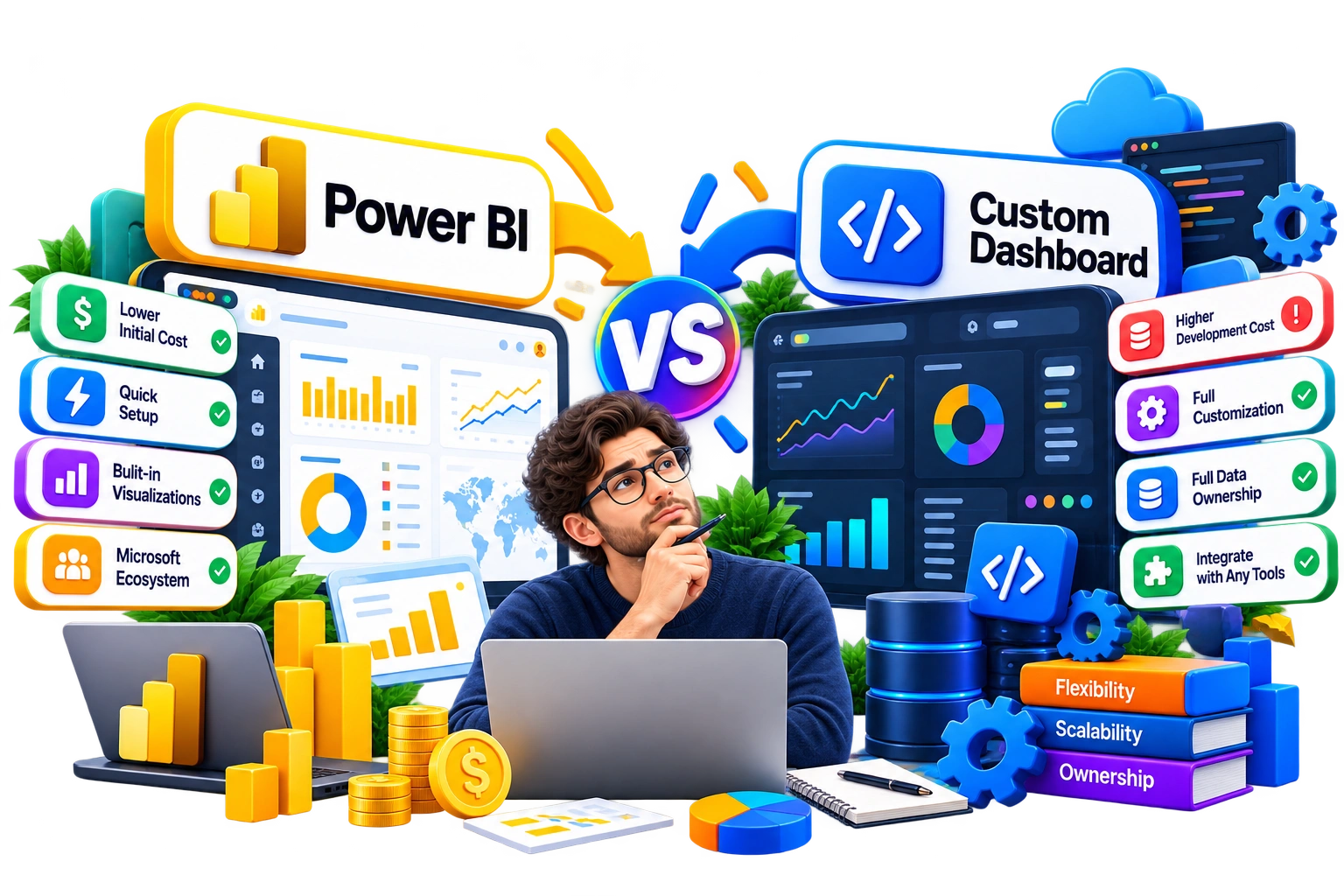
Power BI is the most popular business intelligence tool, trusted by over 375,000 organizations worldwide as of December 2025.
The most important features of Power BI dashboards include fast dashboard deployment, simple Microsoft ecosystem integration, and real-time analytics, helping teams track KPIs, monitor performance, and turn complex data into interactive visual reports with minimal effort.
However, G2 users’ reviews reveal that many Power BI users are not satisfied and sometimes switch to other off-the-shelf BI tools due to:
- Limited customization compared to specialized business intelligence dashboards
- Challenges in handling complex or large datasets efficiently
- Rising Power BI dashboard cost
Even when enterprises try other BI platforms like Tableau, the same cost and flexibility issues persist. That’s the reason why custom dashboards are becoming essential. They offer full ownership, unlimited flexibility, and dashboard solutions specific to internal workflows and unique KPIs, making them a strategic choice for growing businesses.
In this blog, we compare Power BI and custom dashboards, analyzing which fits each situation and best practices for making the right decision.
Below is a quick comparison table between the two:
| Factor | Power BI Dashboards | Custom Dashboards |
|---|---|---|
| Cost | $14–24/user/month; extra capacity fees | High upfront ($10k+); no recurring licensing |
| Setup Time | Weeks; drag-and-drop dashboards | Months; needs a development team |
| Customization | Limited templates | Fully specific to workflows & KPIs |
| Scalability | Good for typical datasets; limits with large/complex data | Optimized for growth and complex datasets |
| Maintenance | Managed by Microsoft | Internal or vendor-managed |
| Integration | Microsoft ecosystem (Excel, Teams, Azure) | Any internal or third-party systems |
| User Experience | Standard UX for analysts | Fully customized UX & visuals |
| Best For | Quick internal reporting | Complex or customer-facing dashboards |
Microsoft Power BI: Use Cases, Benefits, and Limitations
As mentioned earlier, Power BI dashboards are widely adopted for internal reporting and analytics, especially in organizations that rely on Microsoft’s ecosystem. Teams can easily turn complex data into interactive visual reports and track KPIs, but its strength lies within structured datasets and standard operational workflows.
Power BI Use Cases
There are multiple ways you can use Power BI, such as
Table of Contents
- Exploratory Analysis: Identify trends in structured datasets
- Performance Monitoring: Track KPIs and operational metrics in real time
- Embedded Analytics: Integrate embedded dashboards into existing tools
- Internal Reporting: Quick insights for team and department performance
- Rapid Deployment: Launch data dashboard solutions without heavy technical setup
Power BI Benefits
We’ve already discussed a few benefits of using Power BI, but for the sake of this blog, we’ve outlined them here:
- Cost Efficiency: Standard BI tool implementation without a large upfront investment
- Operational Insights: Embedded analytics for monitoring internal workflows
- Microsoft Integration: Works easily with Excel, Teams, and Azure
- Interactive Visuals: Data visualization for data-driven decisions
- Fast Setup: Drag-and-drop dashboard deployment
Power BI is Best Suited For
If your finance team just wants to pull monthly sales numbers from Excel and see them in a clean Power BI dashboard, it works perfectly.
Teams that have workflows mostly within the Microsoft ecosystem, require quick internal reporting on well-structured datasets, and don’t need highly specialized custom metrics or unique reporting formats are best suited for Power BI.
Power BI is Not Ideal For
Say you’re trying to track customer behavior, product performance, and support metrics all in one place. In this case, the standard Power BI dashboard can feel slow and rigid.
High-growth companies that handle large datasets across multiple systems and need full control over how data flows, or custom business dashboards for external clients will often find themselves hitting limits. The steep DAX learning curve for complex calculations can also slow teams down, making a custom dashboard a better fit for these needs.
Ready to move beyond licensing limits and generic dashboards?
Custom software development lets you build BI dashboards that match your internal processes, KPIs, and reporting needs from day one.
Custom Dashboard: Use Cases, Benefits, and Limitations
Custom dashboards are bespoke data dashboard solutions built to match the way your business actually works. Unlike off-the-shelf BI tools, they give you full control over dashboard development, internal workflows, and reporting formats.
Custom Dashboard Use Cases
There are multiple ways you can use a custom dashboard, depending on the pain points you’re trying to solve:
- Operational Monitoring: Keep real-time tabs on multiple systems without hitting capacity limits
- Customer Portals: Deliver embedded dashboards for customers that reflect your brand and unique KPIs
- Complex Data Analysis: Bring together large, multi-source datasets for exploratory analysis and predictive insights
- Custom KPI Tracking: Track metrics specific to your industry or internal goals
- Internal Systems Integration: Tie together tools and pipelines that standard BI platforms can’t handle
Custom Dashboard Benefits
The real value of custom dashboards is more than just flexibility; it solves the frustrations teams hit with off-the-shelf BI tools, especially the license fatigue faced
- Full Ownership: You decide how data flows, how the setup is done, and how the dashboard UX design looks
- Unlimited Flexibility: Every workflow, every KPI, every report can be shaped to your business
- Scalability by Design: Handle huge, complex datasets without slowdowns or workarounds
- Enhanced User Experience: Fully branded interactive visual reports that your teams or customers actually use
- Hybrid Strategy Compatibility: Blend with existing BI platforms when some standardized reporting still matters
Custom Dashboards are Best Suited For
If you’re running a large company trying to connect sales, product, and support data into one place, a custom dashboard makes sense. Teams needing full control over analytics strategy, unique KPIs, or dashboard solutions that follow their business rules will thrive here.
Custom Dashboards are Not Ideal For
If your reporting needs are simple and internal-only or your datasets are small and structured, a full custom dashboard may be overkill. Teams that just need quick internal insights and can live with standard Power BI dashboards might not see the ROI on a custom solution.
Hybrid Dashboard Strategy: Getting the Best of Both Worlds
Just like many organizations adopt a hybrid cloud approach to keep sensitive data on-prem while utilizing cloud services for scalability, companies are increasingly choosing a hybrid dashboard strategy. Instead of choosing between Power BI dashboards and custom business dashboards, they combine both to balance speed, flexibility, and control.
5 Tips for Hybrid Dashboard Implementation
A well-executed hybrid dashboard model gives teams the best of both worlds: speed and usability from Power BI dashboards and full control, customization, and scalability from custom business dashboards.
Below you can find best practices for implementing a hybrid approach for BI dashboards.
Tip #1: Define Clear Ownership
Decide which dashboards are managed by IT, which are handled by analytics teams, and which require vendor support.
Tip #2: Use Custom Logic Strategically
Reserve complex calculations, proprietary performance metrics, and multi-system data pipelines for custom dashboard development.
Tip #3: Use Rapid Deployment
Keep Power BI dashboards for quick insights and exploratory analysis while custom dashboards handle long-term, critical reporting solutions.
Tip #4: Integrate with Ease
Ensure internal systems integration is smooth so teams don’t need to switch tools constantly.
Tip #5: Plan for Growth
Build dashboards for your business with scalability in mind, combining custom software and standard BI tools, while custom dashboards handle long-term, critical reporting where it makes sense.
Conclusion: Choosing The Right BI Dashboard Strategy For Your Business
We’ve all seen it: the sales team refreshing spreadsheets at 9 a.m., operations waiting for IT to generate reports, and finance leaders scrambling for performance numbers, all while executives pull data from ten different places. The key is picking a dashboard design that actually fits how your company works. The wrong choice costs time, insights, and morale.
When deciding, keep these factors top of mind:
- Data Complexity: Look for how messy or multi-source your data is.
- Reporting Needs: Check if your KPIs and reports are standard or unique.
- Budget & Licensing: Consider upfront cost versus ongoing fees.
- Speed vs. Control: Decide if fast setup or full control matters more.
- Scalability: Make sure the solution can grow with your datasets.
- Integration Needs: Verify if it needs to tie into multiple systems or just Microsoft tools.
- Long-Term Strategy: Think about flexibility, hybrid models, and future analytics tools.
Choosing the right strategy now means smoother dashboard setup, faster KPI tracking, and dashboards that your teams actually use. Whether you go with Power BI dashboards, custom business dashboards, or a hybrid model, the goal is clear insights, efficient workflows, and actionable business intelligence.
Frequently Asked Questions (FAQs)
Are Custom Dashboards More Expensive Than Power BI Dashboards?
Custom dashboards have a higher upfront custom dashboard development cost but no recurring licenses. For businesses needing full control, multi-system internal system integration, or unique KPIs, the long-term ROI often outweighs the initial investment.
Should I Use Power BI Or Build A Custom Dashboard?
If your reporting is mostly internal, structured, and aligned with Microsoft tools, Power BI dashboards work well. For large, complex datasets, external-facing dashboards, or unique dashboard design services, a custom business dashboard ensures scalability, flexibility, and full ownership.
Can Power BI Dashboards Be Used For Customer-Facing Applications?
While technically possible, standard Power BI dashboards for internal reporting are limited in branding, customization, and external user control. Custom dashboards for customer portals or SaaS products provide fully branded data dashboard experiences and richer user experiences (UX).
CTA 2
Generic BI dashboards can only take you so far. If your team needs custom business dashboards that handle multiple systems, proprietary KPIs, or complex data flows, it’s really a matter of building the right custom software development solution.
Schedule a FREE 30-min Call
Generic BI dashboards can only take you so far. If your team needs custom business dashboards that handle multiple systems, proprietary KPIs, or complex data flows, it’s really a matter of building the right custom software development solution.