

Have you ever wondered if you could build your own CRM instead of paying HubSpot month after month?
Many companies that transition from SaaS platforms to custom CRM systems report long‑term savings of around 30–40 % on total cost of ownership over three to five years, largely by eliminating recurring license fees and paying only for the functionality they need.
Over time, those “small monthly fees” add up. As your team grows, so does your bill, and eventually, you realize you’re paying more for a tool you don’t fully own or control.
That’s where custom CRM development comes in: a system tailored to your workflows, fully owned by your team, with no recurring licensing fees eating into your margins.
In this blog, we’ll cover:
- How much does a custom CRM cost compared to HubSpot over 3–5 years
- Which features do you really need versus what you might be overpaying for
- How to get started with custom CRM development the right way
So, let’s get into it.
What is a Custom CRM?
A custom CRM is a customer relationship management system built specifically around your business, your workflows, and your team’s needs. It is not a generic tool you adapt to; it is a system built to adapt to you.
Most businesses start with SaaS tools like HubSpot because they are quick to set up. However, as the team grows, so do the limitations and the monthly bill.
Table of Contents
Additionally, with a custom CRM, you own the software completely. There are no recurring licensing fees, no forced upgrades, and no vendor deciding what features you get access to.
Why Do Businesses Consider a Custom CRM?
While SaaS CRMs are quick to set up, they often force teams to adapt their processes to the tool rather than the tool adapting to them. Over time, this can slow operations and limit flexibility.
A custom CRM solves these challenges by providing tangible benefits for growing teams:
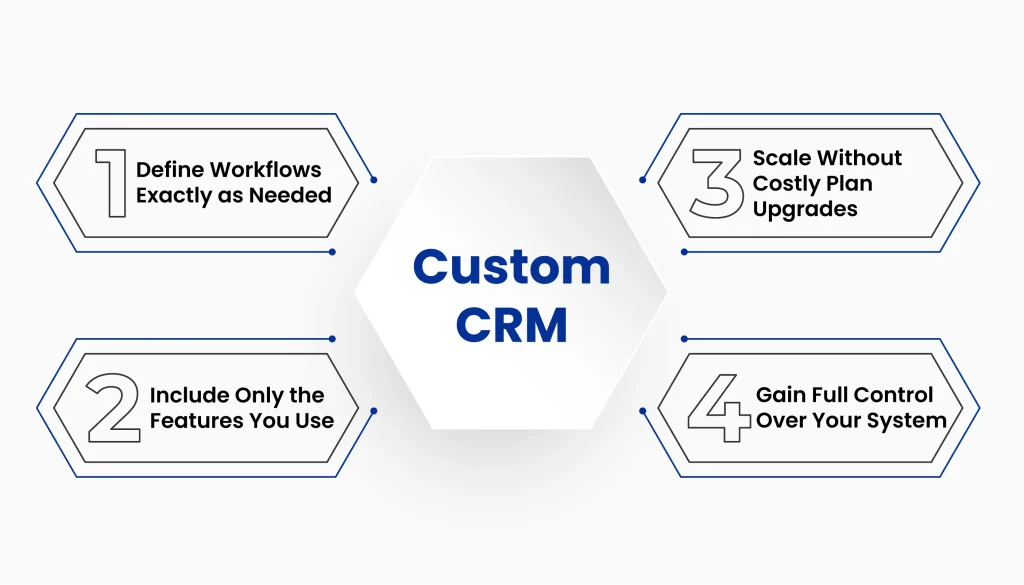
- Define workflows exactly as needed: Build processes that match your team’s way of working.
- Include only the features you use: Avoid paying for unnecessary tools or modules.
- Scale without costly plan upgrades: Add functionality as your business grows, without recurring SaaS fees.
- Gain full control over your system: Customize, update, and extend your CRM on your terms.
Not Sure If Building Your Own CRM is the Right Move Yet?
Talk with our experts to evaluate your workflows, costs, and long-term CRM strategy, with no obligation.
But how does this approach compare to SaaS platforms like HubSpot, both in cost and control? Let’s take a closer look.
Custom CRM vs. HubSpot: Where the Real Costs Add Up?
Now that we understand what a custom CRM is and why it matters, let’s see how it stacks up against HubSpot in both cost and long-term value. You might be surprised how much you could save.
HubSpot is popular because it’s quick to set up, but as your team grows, so do the limitations and costs:
- Rising Subscription Fees: HubSpot’s monthly costs increase with additional users, upgraded plans, and integrations. Over 3–5 years, many mid-sized teams spend between $50,000 and $150,000 or more.
- Limited Customization: Standardized workflows may force your team to adjust its processes to fit the tool rather than the other way around.
- Vendor Lock-in: Your data and processes become tied to HubSpot’s platform, making it harder and more expensive to switch later.
A custom CRM solves these challenges: one-time investment, full ownership, tailored workflows, and no recurring fees.
Here’s a clear comparison:
| Aspect | HubSpot (3–5 Years) | Custom CRM |
|---|---|---|
| Cost | $50,000–$150,000+ | $15,000–$50,000 one-time |
| Ownership | No | Yes |
| Customization | Limited | Full |
| Vendor Lock-in | Yes | No |
| Recurring Fees | Yes | No |
Recurring SaaS fees can add up to three times the cost of a custom CRM over 3–5 years. With full ownership, your team can adapt workflows, scale as needed, and control your data, making it a far smarter long-term investment.
Ownership vs. Subscription: Why Does It Matter Long Term?
The decision to build your own CRM rather than rely on a SaaS platform is not just about pricing. A CRM sits at the core of sales operations, customer data, and internal workflows. Whether you choose CRM ownership vs. SaaS directly impacts control, flexibility, and long-term cost efficiency.
This kind of long-term technology choice is similar to the broader build vs. buy AI tools decision many companies face when evaluating strategic software investments, where subscription convenience must be weighed against ownership, customization, and future scalability.
Below is how owning a system compares to subscribing to one over time in the areas that matter most.
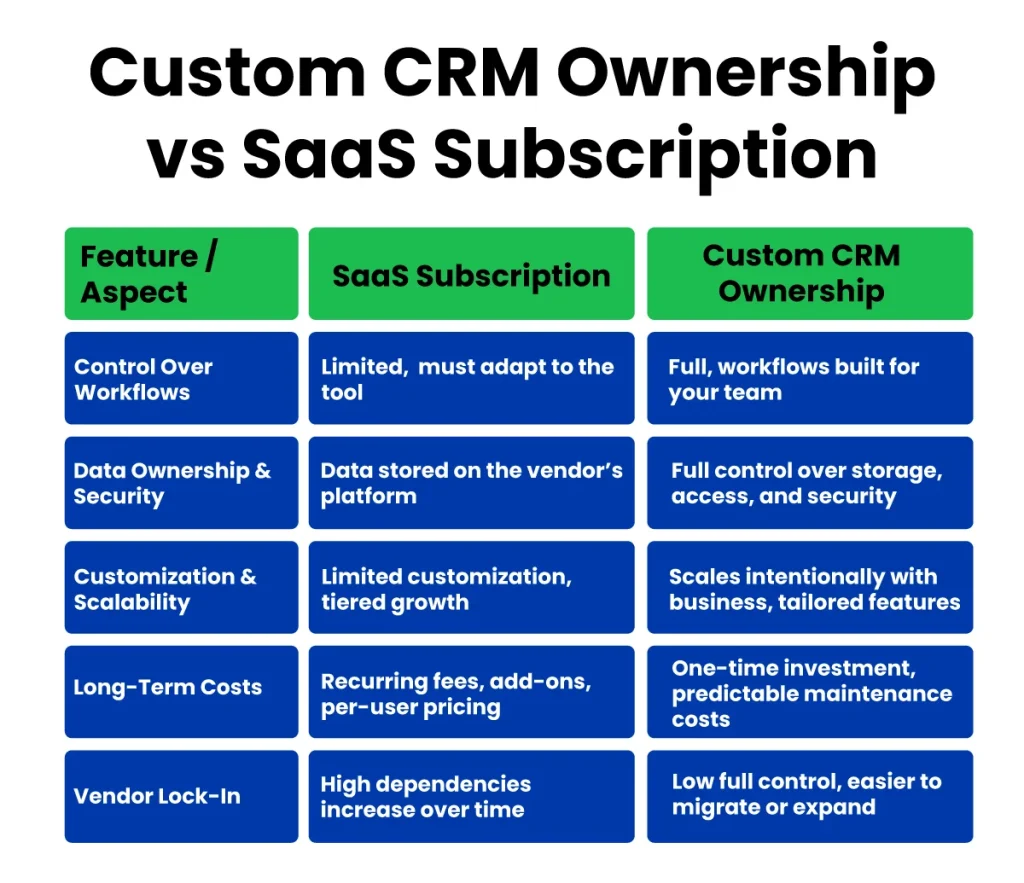
1. Control Over Workflows And Processes
Most SaaS platforms, including HubSpot, are designed around standardized workflows. While they offer configuration options, teams often end up adjusting their internal processes to match the tool’s limitations. This is a common drawback when comparing a custom CRM to a SaaS CRM.
With custom CRM development, workflows are built around how your team actually works. Sales stages, approval flows, and internal processes are designed specifically for your business, not adapted to a generic platform. As your operations evolve, your CRM evolves with them, without planned upgrades or workarounds.
2. Data Ownership And Security Benefits
In a SaaS model, customer data lives on infrastructure you don’t control. Access rules, storage policies, and data handling practices are governed by the vendor, which can complicate compliance and internal security requirements.
When you own your software, data ownership shifts entirely to your team. A custom-built enterprise CRM solution allows you to define where data is stored, how it is secured, and who has access.
This level of control becomes increasingly important as customer data grows and security expectations rise.
3. Customization And Scalability Advantages
Subscription CRMs scale by adding users and pushing teams toward higher tiers. As usage grows, so do SaaS subscription costs, often without delivering proportional value.
A scalable CRM system built in-house scales differently. Features are added only when needed, integrations are built intentionally, and the system grows alongside your business, using solid Cloud & DevOps services to ensure performance and reliability.
4. Long-Term Cost Implications
SaaS pricing spreads costs over time, which makes it appealing early on. However, recurring fees, add-ons, and per-user pricing steadily increase your CRM total cost of ownership. Over several years, the cumulative spend often exceeds expectations.
With a custom CRM, costs are tied to development and maintenance decisions you control. Rather than indefinite subscriptions, you make a one-time investment and manage ongoing costs predictably
5. Reducing Vendor Lock–In
As teams rely more heavily on SaaS CRMs, their dependencies increase. Custom configurations, integrations, and proprietary data structures make switching tools complex and expensive. This vendor lock-in limits flexibility and future options.
Building a CRM in-house reduces that risk. Owning the architecture and data gives you complete control to change, expand, or migrate your system in response to shifting business requirements, without being restricted by third-party platforms.
When Does Building Your Own CRM Make Sense?
Not every business needs to build its own CRM from day one. For small teams or startups just getting started, SaaS platforms like HubSpot can provide a quick setup and basic functionality.
However, there comes a point when recurring subscription costs, workflow limitations, and feature gaps start to outweigh the convenience of a pre-built system. That’s when considering a HubSpot alternative or replacing HubSpot with a custom solution makes sense.
Here are the key situations where custom CRM development is worth exploring:
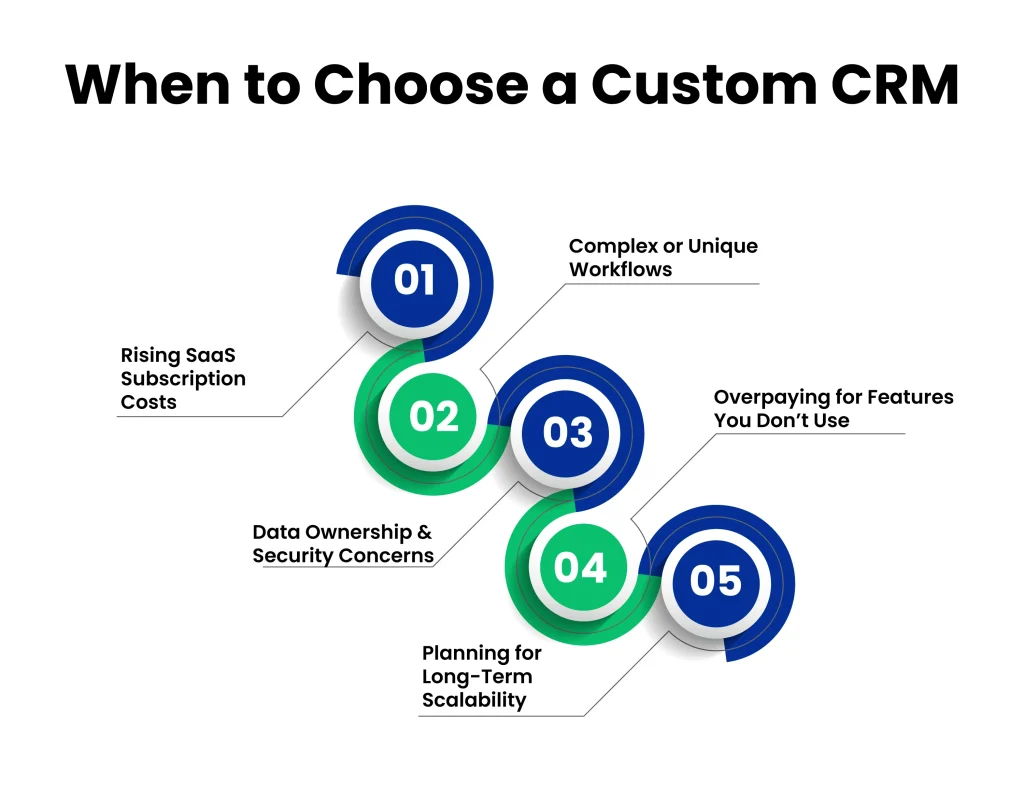
1. Rising SaaS Subscription Costs
If your monthly HubSpot fees are climbing due to additional users, upgraded plans, or multiple add-ons, the cumulative spend can become substantial over time. Switching to a custom CRM lets you invest once in a system you own, avoiding indefinite SaaS subscription costs while gaining predictable, long-term spending.
2. Complex or unique workflows
Many teams find that standard SaaS CRMs force them to adapt their processes to fit the software, rather than the software supporting their processes.
A custom CRM development approach ensures that the system is built around your team’s unique workflows, approvals, and pipelines. This flexibility is particularly valuable for sales teams, product organizations, and customer success operations that require specialized processes.
3. Data ownership and security concerns
For businesses handling sensitive customer data or operating under strict compliance regulations, owning your software becomes a major advantage.
Custom-built CRMs give you full control over data storage, access, and security, reducing reliance on third-party vendors and minimizing vendor lock-in risks. This makes audits, compliance checks, and internal reporting far simpler to manage.
4. Overpaying for features you don’t use
SaaS CRMs often bundle advanced features your team may never use, while essential functionality may still require a higher-tier plan. By investing in a custom CRM, you focus on CRM software features your team actually needs, avoiding wasted spending and creating a more efficient, simplified system.
5. Planning for long-term scalability
As your business grows, a SaaS CRM typically scales by adding more users and moving teams to higher-tier plans. While this may work in the early stages, it often leads to higher subscription costs without offering meaningful control over how the system evolves.
A scalable CRM system built in-house grows differently. You determine how features are expanded, how integrations are structured, and how performance is optimized.
More importantly, the system evolves through structured development, testing, deployment, and monitoring practices aligned with a disciplined DevOps lifecycle, ensuring reliability and adaptability as business requirements become more complex.
This level of ownership allows your CRM to mature alongside your organization instead of being limited by predefined SaaS upgrade paths.
How Can Clustox Help You Build Your Own CRM?
At Clustox, we help businesses take control of their customer management systems through software development services and custom CRM development. Instead of paying high SaaS subscription costs, your team can invest in a custom CRM that works the way you do.
Clustox approaches custom CRM development through defined discovery, architecture planning, and staged implementation. Below is how the process is structured:
1. Full Ownership of Your CRM
Working with Clustox means you own your software completely. No recurring fees, no hidden costs, and less vendor lock-in. You have full control and the freedom to adjust your CRM as your team evolves.
2. Tools Built for Your Team
We create custom internal tools and include only the CRM software features you need. Your team won’t pay for extra features that don’t help. Every workflow and process is built to match the way you work.
3. A CRM That Grows With Your Business
A scalable CRM system from Clustox grows alongside your company. You can add new features, connect systems, or adjust processes without paying for unused modules or unnecessarily upgrading plans.
4. Clear Long-Term Costs
We make the CRM total cost of ownership easy to understand. Unlike SaaS platforms, costs are predictable and tied to what your team actually uses. You know exactly what your investment gives you.
For teams looking to replace HubSpot or adopt a HubSpot alternative CRM, Clustox guides you every step of the way. Moving your data, integrating systems, and setting up a custom CRM development solution is simple and worry-free.
Frequently Asked Questions (FAQ)
Benefits include:
One-time investment with predictable maintenance
No vendor lock-in
Paying only for the CRM software features you actually need
Over 3–5 years, businesses often spend 40% less than they would on subscription platforms like HubSpot.
2. Can Small Teams Benefit From a Custom CRM?
It depends. For early-stage startups or very small teams, a HubSpot alternative or open-source CRM might be sufficient to manage workflows efficiently.
However, if your team plans to scale, even small teams can benefit from
Full ownership of their data
Custom workflows built around team processes
Avoiding long-term subscription costs
3. How Long Does It Take to Build a Custom CRM?
The timeline varies based on the complexity of features and integrations. Generally:
Core CRM with basic workflows: 6–8 weeks
Advanced enterprise CRM solution with multiple integrations: 3–6 months
Clustox works closely with your team to ensure timely delivery and smooth adoption, reducing delays often seen in generic SaaS migration projects.
4. What Features Should You Include in Your Custom CRM?
Not all features are necessary. Focus on what your team actually uses to reduce costs and complexity. Key points to consider:
Sales pipeline management
Customer data and contact tracking
Custom internal tools specific to your workflows
Integration with other business systems
This ensures your custom CRM remains efficient, scalable, and cost-effective.
5. Can You Replace HubSpot With a Custom CRM Without Losing Data?
Yes, migrating from HubSpot to a custom CRM system is possible. The process involves:
Exporting existing customer and sales data
Mapping workflows and processes to the new system
Integrating third-party tools and essential systems
Testing before full deployment to avoid disruption
Clustox provides step-by-step support to make the transition smooth and secure.
6. How Do You Decide Between SaaS and Custom CRM?
Consider your team size, budget, and long-term goals. Use CRM ownership vs. SaaS as a guide:
Choose SaaS if you need a quick setup for short-term projects or small teams
Opt for a custom CRM if you want full control, scalability, and reduced long-term costs
A simple rule: if your SaaS subscription costs are rising and your workflows are unique, it’s time to explore a HubSpot alternative or custom CRM development.
Final Thoughts: Take Control of Your CRM Strategy
Building your own CRM is about owning your software, shaping it to fit your team’s workflows, and planning for growth. SaaS platforms like HubSpot can be helpful in the early stages, but as your team scales, recurring subscription costs and workflow limitations can hold you back.
The Takeaways to remember:
- A custom CRM gives full ownership and flexibility, helping avoid vendor lock-in.
- Investing in custom CRM development allows you to build only the features your team truly needs.
- A scalable CRM system grows with your business without forcing unnecessary upgrades or costs.
- Evaluating CRM ownership vs. SaaS early ensures long-term efficiency and cost savings.
At Clustox, we guide businesses through every step, from assessing workflows to building a system that truly fits your team, including custom solutions integrated with Web App Development projects.
Taking control of your CRM today means smoother operations, smarter data management, and a foundation built for future growth.
Wondering how much your business could save by replacing HubSpot with a custom CRM?