


Notion has over 100 million users. Most of them are using it for something it was never designed to do.
Notion was built to be a flexible workspace. Teams repurpose it for documentation because it is already there, not because it is the right tool for the job. For early-stage teams, that consolidation makes sense. You get notes, project tracking, and internal documentation in one place without requiring engineering resources to set it up.
But documentation infrastructure and a documentation tool are two different things. At scale, that distinction becomes expensive.
Search becomes unreliable. Permissions get difficult to manage without manual intervention. Content has no governance or review process. And the per-seat cost grows with every new hire on the only plan that includes the features most professional teams actually need.
This blog covers:
- What Notion costs as your team scales beyond 50 users.
- What building a custom knowledge base involves and what it realistically costs.
- The use cases where each option makes sense.
- A decision framework to help CTOs choose the right path.
To start, here is a side-by-side comparison of both options.
A Side-by-Side Comparison: Notion vs. Custom Knowledge Base
Before going deeper into costs and use cases, here is a direct comparison across the factors that matter most to engineering and product teams.
| Factor | Notion | Custom Knowledge Base |
|---|---|---|
| Cost Structure | $10–$20/user/month depending on plan | Upfront build cost ($15k–$80k+), no per-seat fees as the team grows |
| Setup Time | Hours to days | Weeks to months |
| Search Quality | Basic full-text search | Advanced semantic or AI-powered search |
| Permissions & Access Control | Page-level, limited granularity | Role-based access control (RBAC), SSO, SAML |
| Content Governance | Manual, no review workflows | Built-in approval flows and version control |
| Integrations | 250+ via Zapier and native connectors | Deep API integration with any internal system |
| Ownership | Vendor-controlled | Fully owned by your organization |
| Best Suited For | Early-stage teams, internal documentation | Scaling teams, complex workflows, customer-facing KB |
The comparison above covers the surface. The sections below go deeper into what each option actually costs and where each one makes, or stops making, sense.
Table of Contents
Notion as a Knowledge Base: Where It Fits and What It Costs
Notion is the right choice when your team is small, documentation is internal, and workflows are simple.
It often becomes the default choice for teams evaluating internal knowledge management tools. This is usually because it already exists in their stack, not because it was chosen through a deliberate infrastructure decision.
Notion is a capable tool in the right context. Teams that are internally focused with straightforward documentation needs get real value from it without requiring engineering resources to set up or maintain.
The issues emerge when the team grows and documentation becomes critical to how the organization operates.
When Notion Is the Right Choice
Notion works well when:
- The team is under 50 people with light documentation requirements.
- Knowledge is primarily internal; no customer-facing or partner-facing content needed.
- Workflows are simple and do not require approval chains or content review processes.
- The organization is already using Notion for project management and wants to avoid adding another tool.
- Budget is a constraint, and a per-seat cost of $10–$20 per month is acceptable.
Notion’s Limitations at Scale
Past a certain point, the flexibility that makes Notion useful early on becomes a liability.
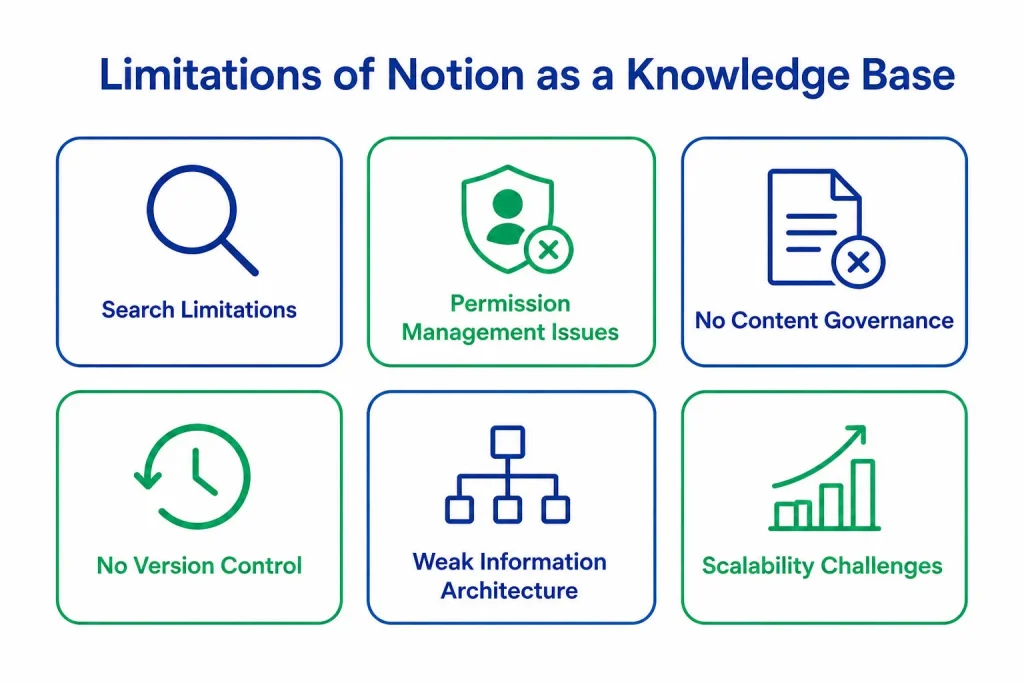
- Search Quality
Notion uses basic full-text search. As workspaces grow to hundreds or thousands of pages, search results become noisy and unreliable. Engineers and new hires spend more time looking for information than using it.
There is no intent-based retrieval, no semantic understanding, and no way to surface the most relevant result when multiple pages share similar content.
- Permission Management
Notion’s access control works at the page level. Teams that need role-based access control, restricting documentation to specific roles or external users, end up managing permissions manually with no reliable enforcement. At 100+ users, that becomes a full-time administrative burden.
- Content Governance
Notion has no built-in review workflows, no version control at an organizational level, and no way to flag outdated content automatically. In regulated industries or teams with compliance requirements, this is a hard blocker.
- Workspace Navigation
Without enforced structure, Notion workspaces accumulate pages that are hard to categorize, cross-reference, or maintain. New team members report steep learning curves just to locate existing documentation.
When Should You Stop Using Notion as a Knowledge Base?
Notion doesn’t fail all at once. The shift usually happens gradually, when teams start relying on documentation as infrastructure rather than reference material.
These signals tend to show up consistently:
- The search stops returning the right information quickly.
- Permission management becomes manual and inconsistent.
- Documentation needs to support external users or customers.
- Compliance, version control, or audit requirements emerge.
- The cost per seat starts compounding without adding operational value.
When multiple signals show up at once, the focus shifts away from how the workspace is structured and toward how well the tool still fits the system it’s meant to support.
The limitations above show up consistently in engineering organizations past a certain scale.
If any of them sound familiar, it is worth knowing how deep the problem runs before evaluating solutions.
Notion Pricing
Notion’s pricing looks straightforward on paper. In practice, most professional teams end up on the business plan, the only tier that includes AI features and SAML SSO.
| Team Size | Plus Plan ($10/user/month) | Business Plan ($20/user/month) |
|---|---|---|
| 50 users | $6,000/year | $12,000/year |
| 100 users | $12,000/year | $24,000/year |
| 200 users | $24,000/year | $48,000/year |
These figures cover licensing only. They do not include the internal time spent managing workspace structure, handling permission requests, or working around the absence of governance tools, all of which carry a real operational cost that never shows up on a SaaS invoice. This is where the hidden cost of SaaS subscriptions starts to compound as teams scale.
The sections above outline what Notion costs and where it stops working. The next question is what building an alternative actually involves.
Custom Knowledge Base: What You Can Build and What It Costs
A custom knowledge base is software built around how your team actually works, not a tool you adapt your workflows to fit. It is designed from the ground up to match your structure, your access requirements, and your documentation needs.
It is typically delivered by reliable software development experts who understand how to translate internal workflows into scalable systems.
That difference matters when off-the-shelf tools start creating more friction than they remove.
What a Custom Knowledge Base Can Do That Notion Cannot
The gap between Notion and a custom knowledge base becomes clear when requirements get specific.
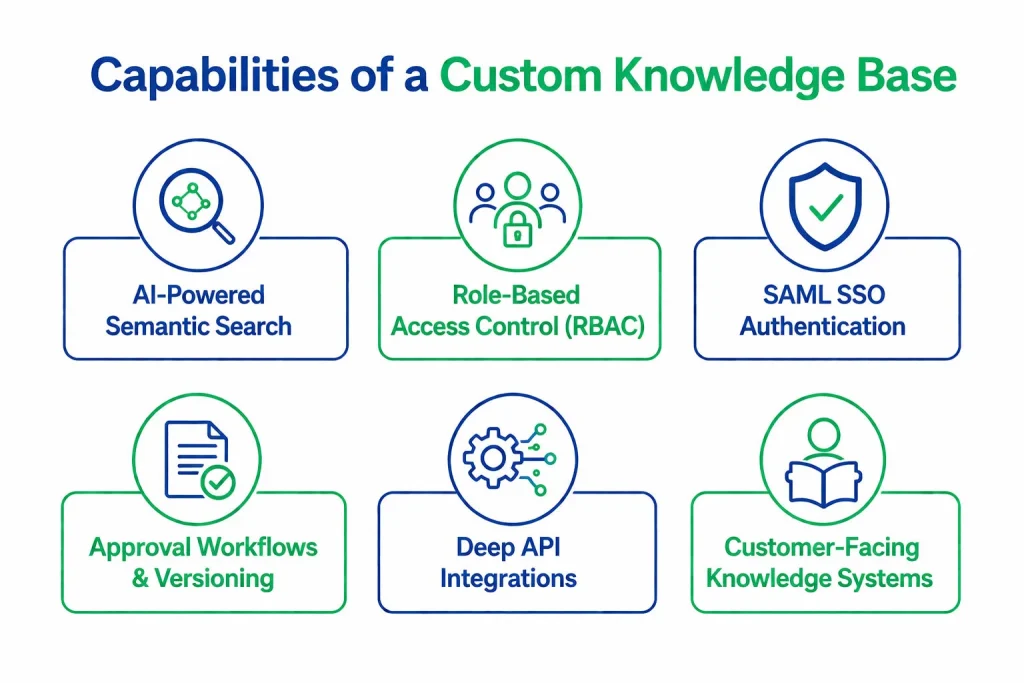
- AI-powered Search
A custom system can be built with semantic search using Elasticsearch, Algolia, or OpenAI embeddings, returning results based on meaning, not just keyword matches.
- Granular Access Control
Role-based access control (RBAC), SAML SSO, and multi-tenant user management can be structured precisely around your organization, not approximated through page-level permissions.
- Approval Workflows and Version Control
Review workflows, approval chains, version control, and content expiration can all be built in. Teams in regulated industries can enforce documentation standards without manual oversight.
- Deep System Integrations
A custom knowledge base connects directly to your product, CRM, support stack, or data pipeline through REST APIs, no middleware, no workarounds. This level of integration usually requires backend development and cloud engineering expertise to ensure performance, security, and long-term maintainability.
- Customer-Facing Capability
External knowledge bases with custom branding, custom domains, and external user management are standard in a custom build. On Notion, this requires Enterprise-tier workarounds.
How Much Does It Cost to Build a Custom Knowledge Base?
Build cost depends on scope and complexity. Most projects fall within the following ranges based on scope.
| Project Scope | Estimated Build Cost | Timeline |
|---|---|---|
| Basic internal KB (search, authentication, content management) | $15,000 – $30,000 | 6 – 10 weeks |
| Mid-tier KB (RBAC, integrations, version control) | $30,000 – $60,000 | 10 – 16 weeks |
| Advanced KB (AI search, customer-facing, multi-tenant) | $60,000– $120,000+ | 16 – 24 weeks |
Once delivered, the ongoing cost is infrastructure and maintenance, typically $500 – $2,000 per month depending on scale and hosting.
Factors That Influence the Cost of a Custom Knowledge Base
Cost increases with:
- AI-powered or semantic search requirements
- Multi-tenant architecture for customer-facing use
- Complex permission structures and compliance requirements
- Deep integrations with multiple internal systems
Cost stays reasonable when:
- The scope is defined clearly before development starts
- Standard technology choices are used
- Delivery is phased, starting with internal capability first
The most expensive projects are almost always the ones where the scope expanded mid-build. Scope changes after development starts are the single biggest driver of cost overruns in custom knowledge base projects. Define what the system needs to do before a line of code is written.
Before committing to a build, three things need to be defined:
- What the system needs to do
- Where it needs to integrate
- What a realistic budget and timeline looks like
We help CTOs work through all three before development starts.
Build vs. Buy Knowledge Base: When to Stay on Notion, When to Build Custom
Most CTOs do not need a custom knowledge base from day one. The decision comes down to three things: what the knowledge system needs to support, who it needs to serve, and what it will cost over time.
This is the same evaluation lens used in larger architecture decisions like SaaS vs. custom software, where flexibility, control, and long-term cost all come into play.
Use the following criteria to evaluate both paths.
| Question | Stay on Notion | Build Custom |
|---|---|---|
| How many users need access? | Under 50 | 50 and above |
| Is the knowledge base internal only? | Yes | No, customer or partner facing |
| Do you need AI-powered search? | No | Yes |
| Are there compliance or audit requirements? | No | Yes |
| Do you need deep integrations with internal systems? | No | Yes |
| What is the 3-year cost trajectory? | Lower upfront, higher over time | Higher upfront, lower over time |
If most of your answers land in the right column, you are not evaluating to build; you are evaluating when.
One constraint to account for before committing to a build: a custom knowledge base needs an internal owner after launch. Someone on your engineering or product team will be responsible for updates, integrations, and infrastructure. Teams without that capacity should factor in a managed support arrangement as part of the project scope, not as an afterthought.
Notion is a sound decision until the system it supports outgrows it. When it does, no amount of workspace reorganization closes the gap.
The Bottom Line
If your team is under 50, documentation is internal, and workflows are simple, Notion is the right tool. Do not overbuild.
If you are past that threshold or heading there, the question is not if Notion will eventually fall short. It is when you address it, before it becomes an operational problem or after.
Custom software is a larger upfront commitment. It is also the one that does not get more expensive as your team grows, does not create vendor dependency, and does not require you to work around its limitations at the exact moment documentation reliability matters most.
The decision framework above gives you the criteria. If your answers consistently point toward a custom build, the next step is scoping what that actually looks like for your organization.
Clustox builds custom knowledge base systems for engineering and product teams, from architecture and integrations through to deployment and ongoing support. If your team has outgrown generic documentation tools, that conversation starts here.
Frequently Asked Questions (FAQ)
2. When Does it Make Sense to Move Away from Notion?
The clearest signals are when search stops returning reliable results across a growing workspace, when permission management becomes manual and inconsistent, when documentation needs to be surfaced inside your product or delivered to external users, or when the per-seat cost on the business plan starts compounding at scale.
3. Is a Custom Knowledge Base More Expensive than Notion in the Long Run?
The upfront cost is higher, but the long-term picture is different. A 100-person team on Notion's business plan pays $72,000 in licensing over three years before operational overhead. A custom build in the same range carries no per-seat fees, no vendor dependency, and does not get more expensive as the team grows.
4. What Technology is Used to Build a Custom Knowledge Base?
Most custom knowledge base projects are built on Next.js, React, and PostgreSQL for the core system, with Elasticsearch, Algolia, or OpenAI embeddings for search. Access control is typically implemented through RBAC with SAML SSO. The specific stack depends on your existing infrastructure and integration requirements.
5. Do You Need an In-House Engineering Team to Maintain a Custom Knowledge Base?
Not necessarily a dedicated team, but someone internally needs to own the system post-launch. That means handling updates, managing integrations, and overseeing infrastructure. Teams without that capacity should factor in a managed support arrangement as part of the project scope.
Still Evaluating Your Options?
We work with engineering organizations to assess current documentation infrastructure, define custom knowledge base requirements, and scope realistic build plans.